
JSON Formatter - Viewer & Beautifier
Auto-format JSON pages with collapsible tree view, syntax highlighting, dark mode, search filter. Best JSON viewer for developers.
- 버전
- 3.0.2
빌드는 끝났지만 아직 스토어에 올라가지 않았습니다. 무엇을 하는 확장인지 미리 볼 수 있도록 페이지만 열어두었습니다.
JSON Formatter automatically detects and beautifully formats JSON responses in your browser. No more staring at raw, unformatted JSON.
아래 설명은 영문 스토어 등록 정보를 그대로 옮긴 것입니다.
스크린샷
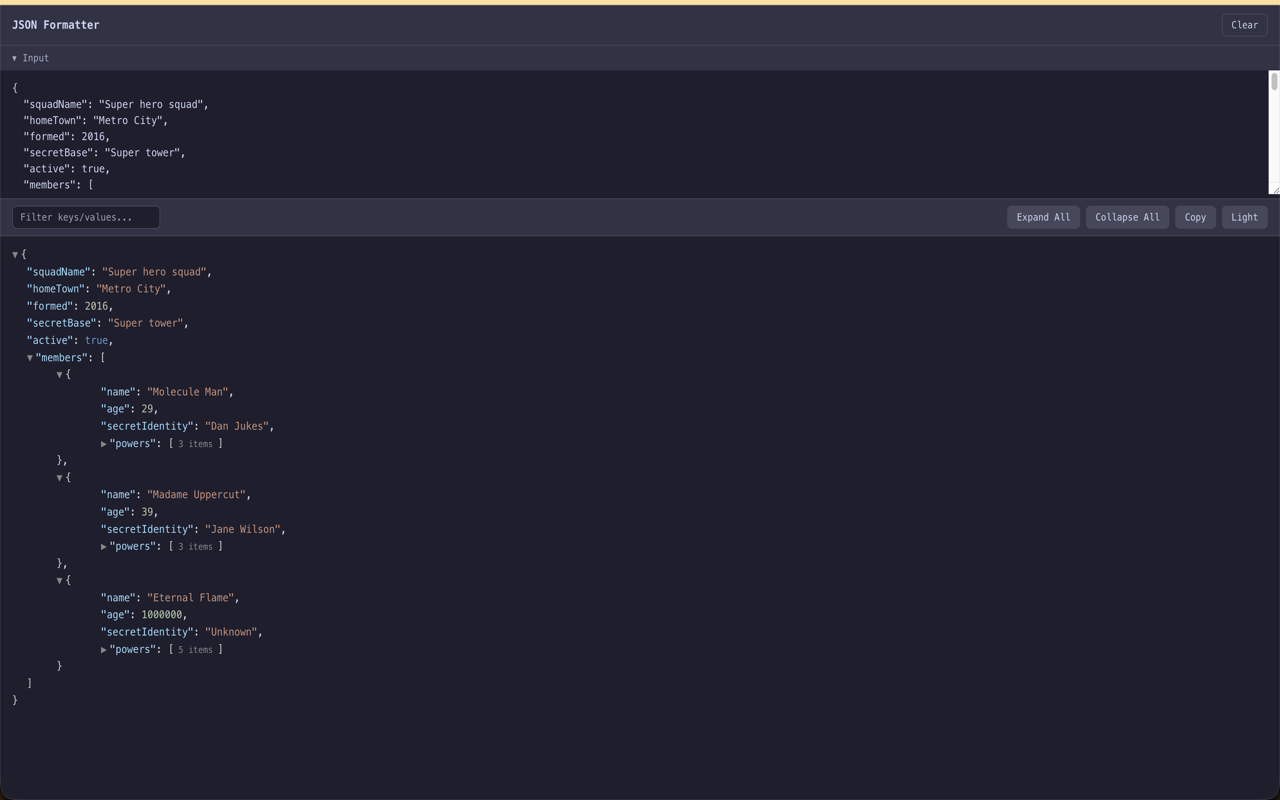
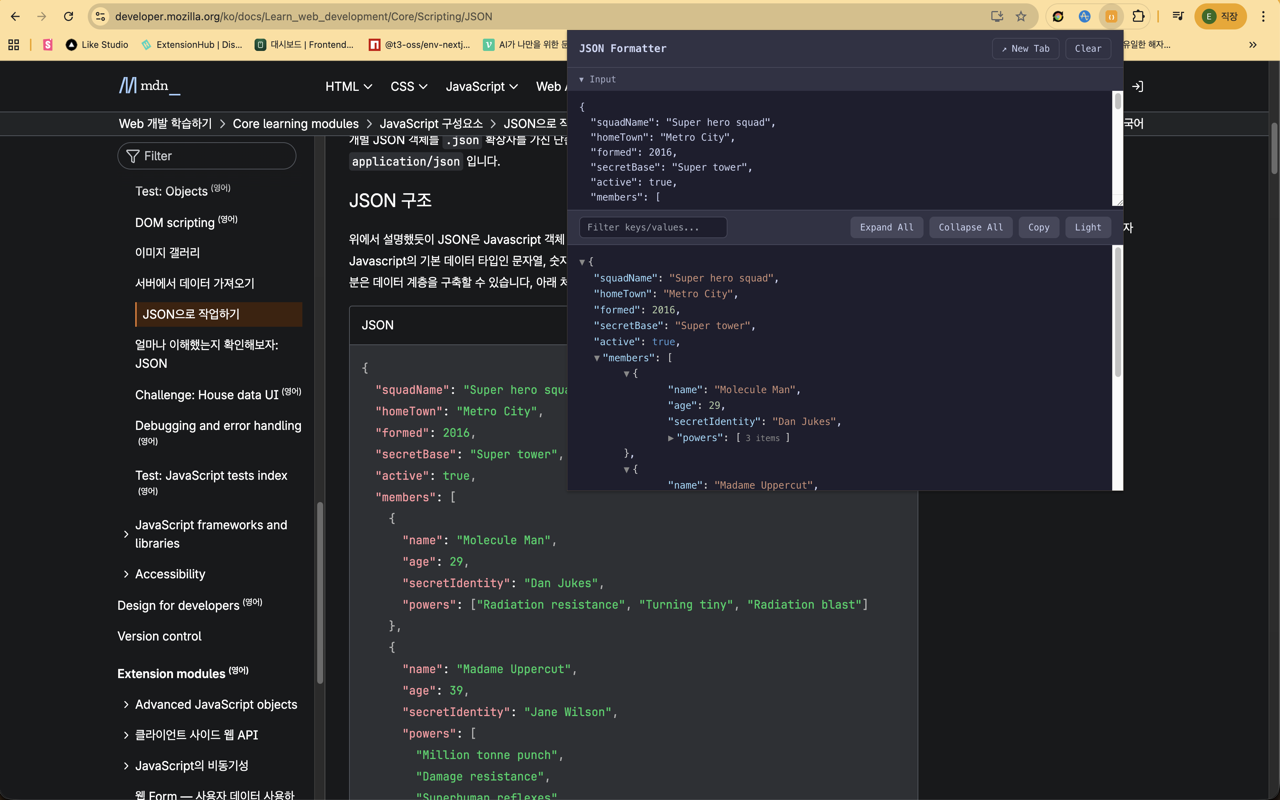
주요 기능
Automatic JSON page detection (content-type, .json URLs, raw JSON)
Collapsible/expandable tree view with item counts
Syntax highlighting with distinct colors for strings, numbers, booleans, and null
Dark mode and light mode
Real-time search/filter across keys and values
Copy formatted JSON to clipboard
Customizable font size and default collapse depth
Expand All / Collapse All controls
Works offline, no data sent anywhere
Web developers debugging API responses
Backend developers testing endpoints
Data analysts reviewing JSON data
Anyone who works with JSON regularly
사용 방법
- 01Open any JSON URL or API endpoint
- 02The extension automatically detects and formats the JSON
- 03Browse data with an interactive collapsible tree view
권한과 개인정보
This extension works entirely offline. No data is collected or transmitted. Your settings are stored locally on your device only. 확장에 포함된 코드만 실행하며 원격 코드를 내려받지 않습니다.
관련 확장 프로그램
 SEO Toolkit5K+ 사용자
All-in-one SEO analysis: on-page score, SERP preview, keyword density, broken links, heading structure, and meta tag viewer.
 Download Claude Artifacts - Save Code & Docs5 사용자
Download Claude artifacts as files. Save every code block, doc, and app in a conversation with the correct file extension.
 BugSnap - 원클릭 버그 리포트 (스크린샷 + 콘솔 로그)2 사용자
클릭 한 번으로 스크린샷, 콘솔 에러, 환경 정보를 모아 버그 리포트를 만드세요.
 AI Credit Meter - v0, Lovable, Bolt
Track your remaining credits on v0, Lovable and Bolt, with burn-rate and a projected run-out date. Read-only, all local.
 GitHub Unfollowers & Un-stars Tracker
See who unfollowed you on GitHub, and who un-starred your repo — the thing GitHub never tells you. Official API, all local.
 Page Ruler - 웹페이지 픽셀 측정
웹페이지의 모든 요소를 픽셀 단위로 측정합니다. 드래그로 영역 측정, 호버로 요소 크기 확인. 디자이너와 개발자를 위한 무료 도구.