
Dark Mode
Enable dark mode on any website instantly. Protect your eyes with one-click dark theme for all web pages.
- Version
- 3.0.2
This one is built but not on a store yet. The page is here so you can see what it does.
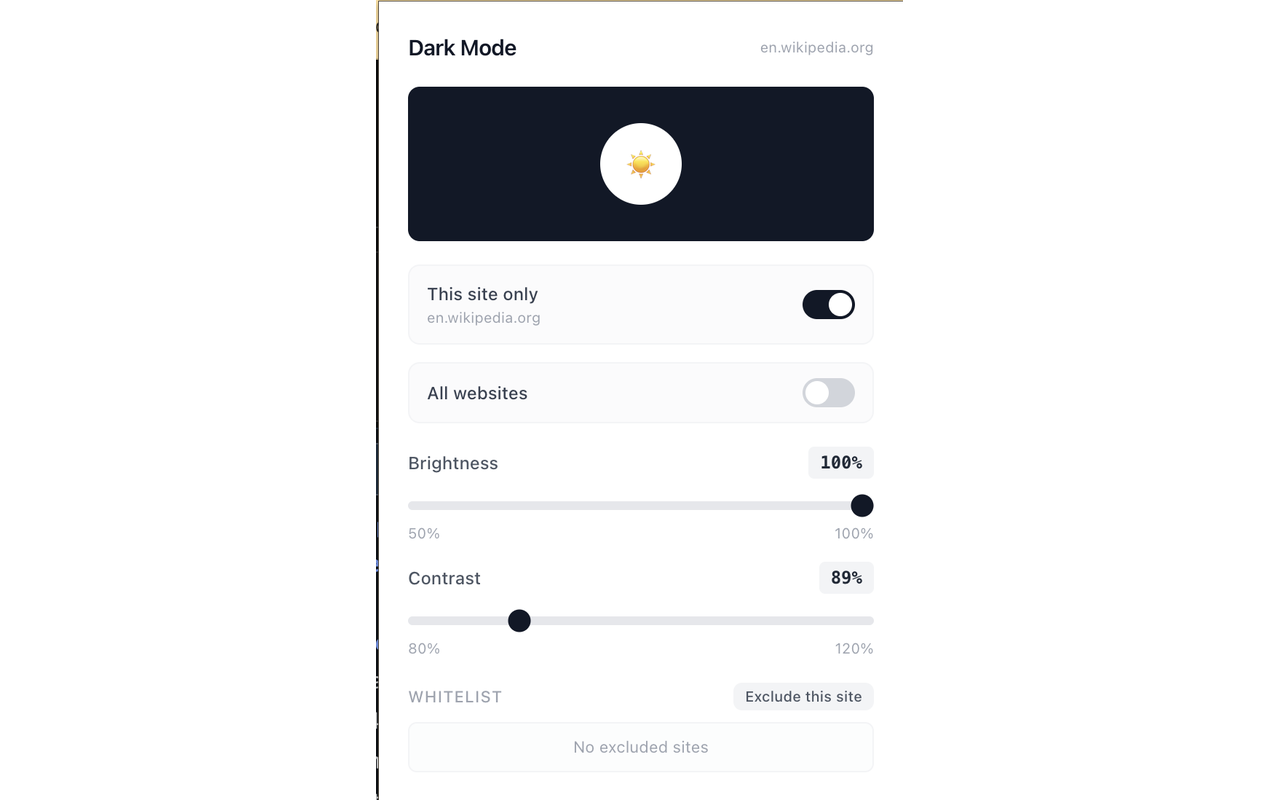
Dark Mode instantly transforms any website into a comfortable dark theme to protect your eyes. Using advanced CSS filter technology, it inverts page colors while keeping images and videos looking natural. Toggle dark mode per site or globally, adjust brightness and contrast, and manage a whitelist of excluded sites.
Screenshots
What it does
Instant Dark Mode
Apply dark mode to any website with a single click using CSS filter-based color inversion. No need to wait for site-specific dark themes.
Per-Site & Global Toggle
Enable dark mode for just the current site or toggle it on globally for all websites. Each site's preference is saved automatically.
Brightness Control
Adjust brightness from 50% to 100% to find the perfect comfort level for your eyes in any lighting condition.
Contrast Control
Fine-tune contrast from 80% to 120% to improve readability on dark backgrounds.
Smart Image Handling
Images, videos, canvases, and SVGs are automatically reverse-inverted so they display with their original colors.
Whitelist Management
Exclude specific sites from dark mode. Sites with native dark themes can be whitelisted to prevent double-inversion.
How to use it
- 01Click the Dark Mode icon in your toolbar to open the control panel.
- 02Click the large toggle to enable dark mode for the current site.
- 03Use the "All websites" toggle to enable dark mode globally.
- 04Adjust brightness and contrast sliders to your preference.
- 05Add sites to the whitelist to exclude them from dark mode.
Permissions & privacy
Single purpose
Dark Mode has a single purpose: to apply a dark color theme to web pages using CSS filters, allowing users to toggle dark mode per site or globally, adjust brightness and contrast, and manage a whitelist of excluded sites.
Dark Mode runs entirely in your browser. Per-site settings and whitelist data are stored locally using chrome.storage. No page content, browsing history, or personal data is collected, transmitted, or stored on any external server. The extension works fully offline after installation. It runs only the code shipped inside the package — no remote code is fetched.
Related extensions
 Bionic Reading - Faster Reading
Bolds the first part of every word so your eyes fixate faster and read with less effort. One click to toggle, runs locally.
 Dyslexia Font - Easier ReadingNot published yet
Make any page easier to read: dyslexia-friendly font, more spacing, bigger text, and a soft tint. Local, one toggle.
 Hangul Font ChangerNot published yet
Replace every Korean letter on the web with a font you love. Pretendard, Noto Sans KR, custom fonts and more.
 Read AloudNot published yet
Select any text on the web and have it read aloud instantly. Adjustable speed, voice, and language.
 Speed Reader - RSVP Fast ReadingNot published yet
Read any article or selected text one word at a time at up to 1000 wpm. Fully local, no sign-in, no data collected.
 SEO Toolkit5K+ users
All-in-one SEO analysis: on-page score, SERP preview, keyword density, broken links, heading structure, and meta tag viewer.