
SEO Toolkit
All-in-one SEO analysis: on-page score, SERP preview, keyword density, broken links, heading structure, and meta tag viewer.
- Users
- 5K+
- Works on
- Chrome
- Version
- 3.0.2
Auditing one page usually means three browser tabs: one to read meta tags, one to guess how the snippet will truncate, one to hunt broken links. This puts all of it in a popup on the page you already have open, across six tabs that read the live DOM rather than a crawl.
SEO Toolkit is a comprehensive, all-in-one SEO analysis extension for Chrome. Analyze any webpage instantly with 6 powerful tools:
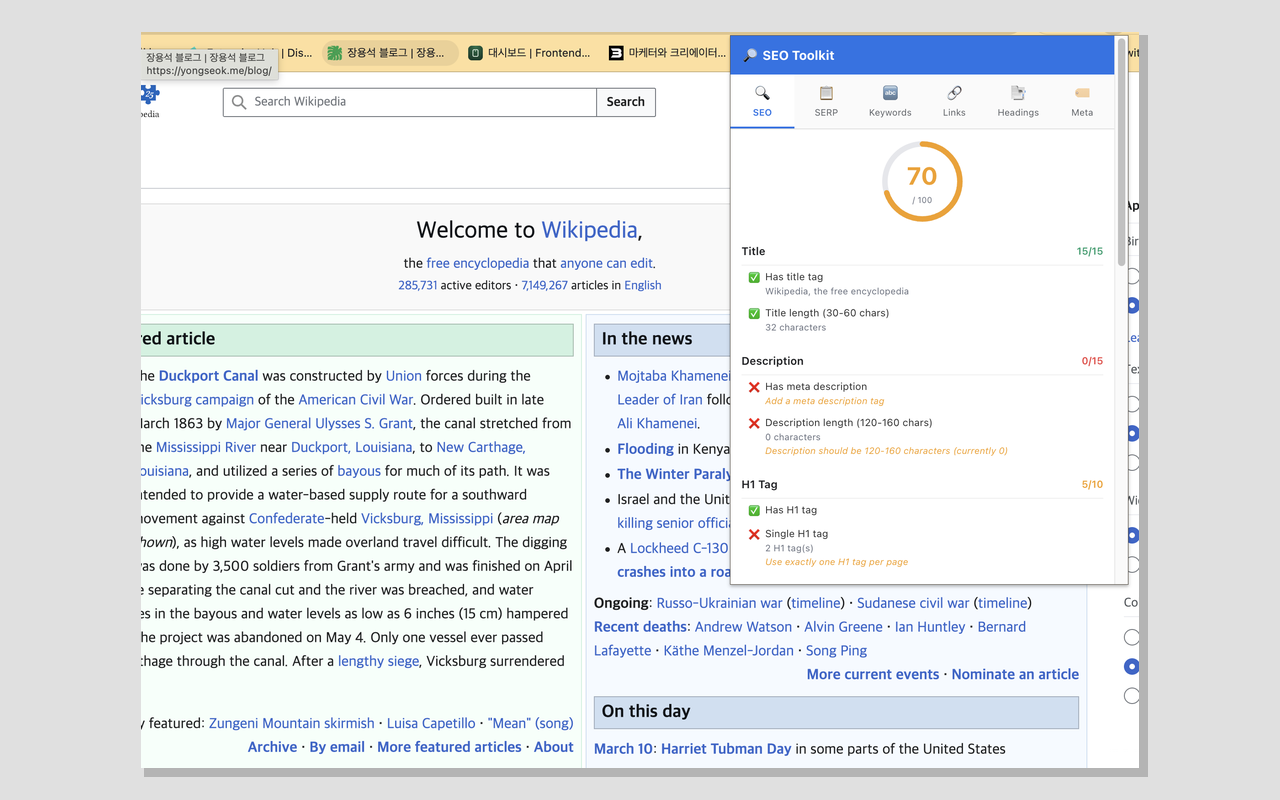
On-Page SEO Score
Get an instant SEO score out of 100 with a detailed checklist covering title, description, headings, images, canonical URLs, Open Graph, Twitter Cards, viewport, robots, and links.
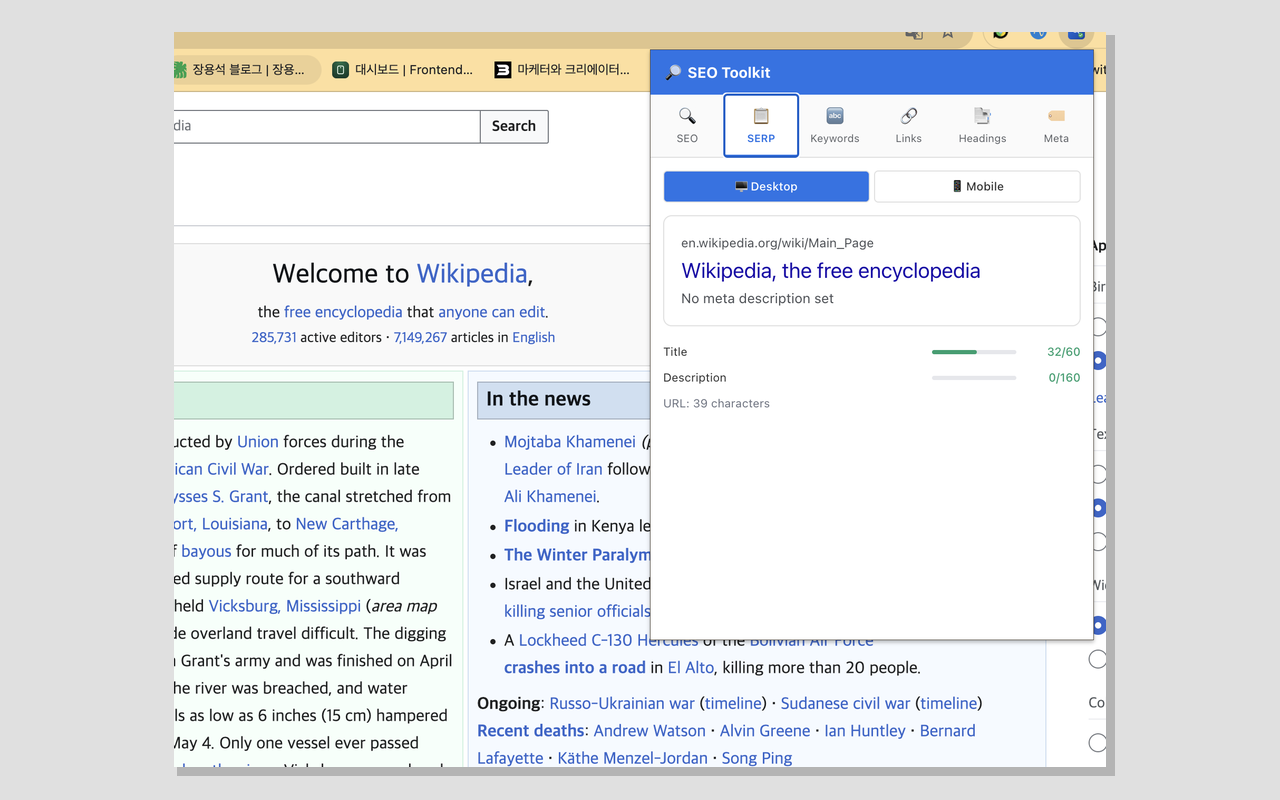
SERP Preview
See exactly how your page will appear in Google search results. Toggle between desktop and mobile views with real-time character counters.
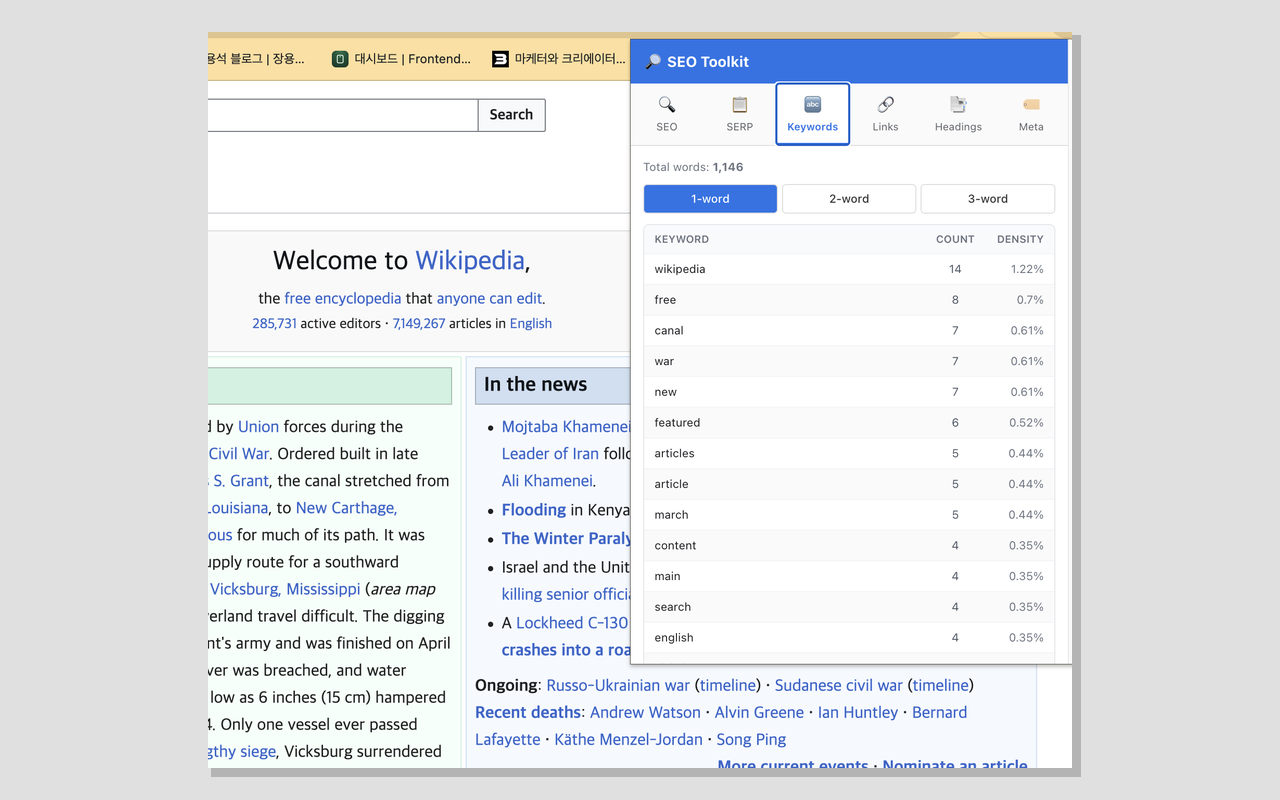
Keyword Density
Analyze word frequency with 1-word, 2-word, and 3-word phrase tables. Click any keyword to highlight all occurrences on the page.
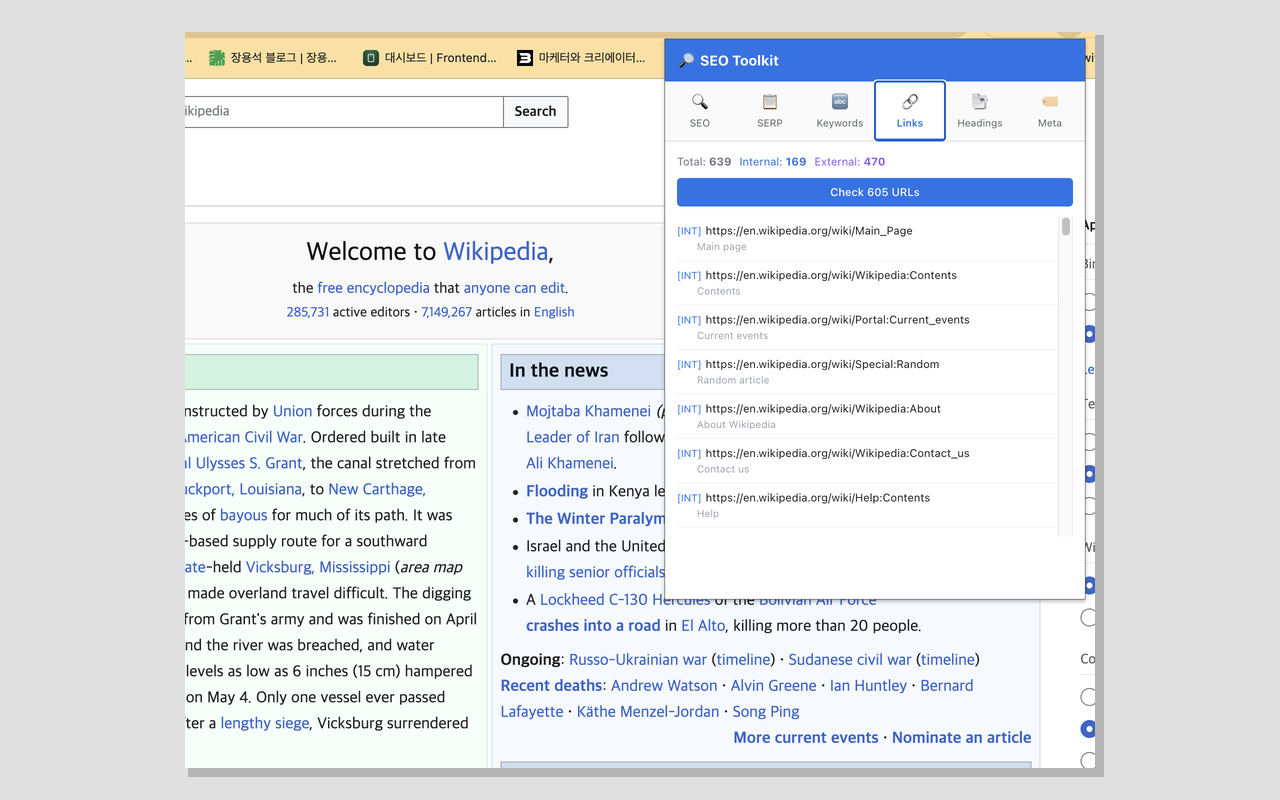
Broken Link Checker
Scan all links on the page, check their status, and identify broken links. Export results as CSV. Broken links are highlighted directly on the page.
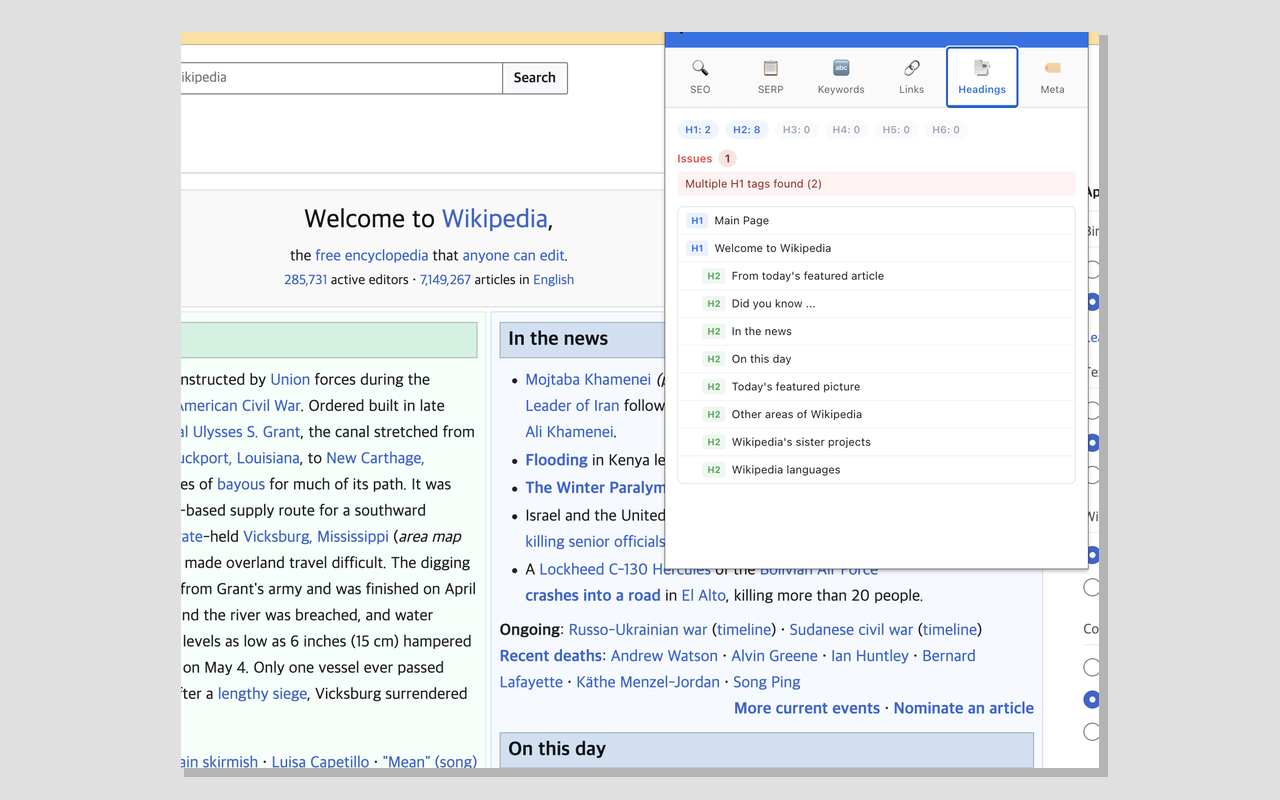
Heading Structure
Visualize the heading hierarchy (H1-H6) as an indented tree. Detect issues like missing H1, multiple H1 tags, and skipped heading levels. Click to scroll to any heading.
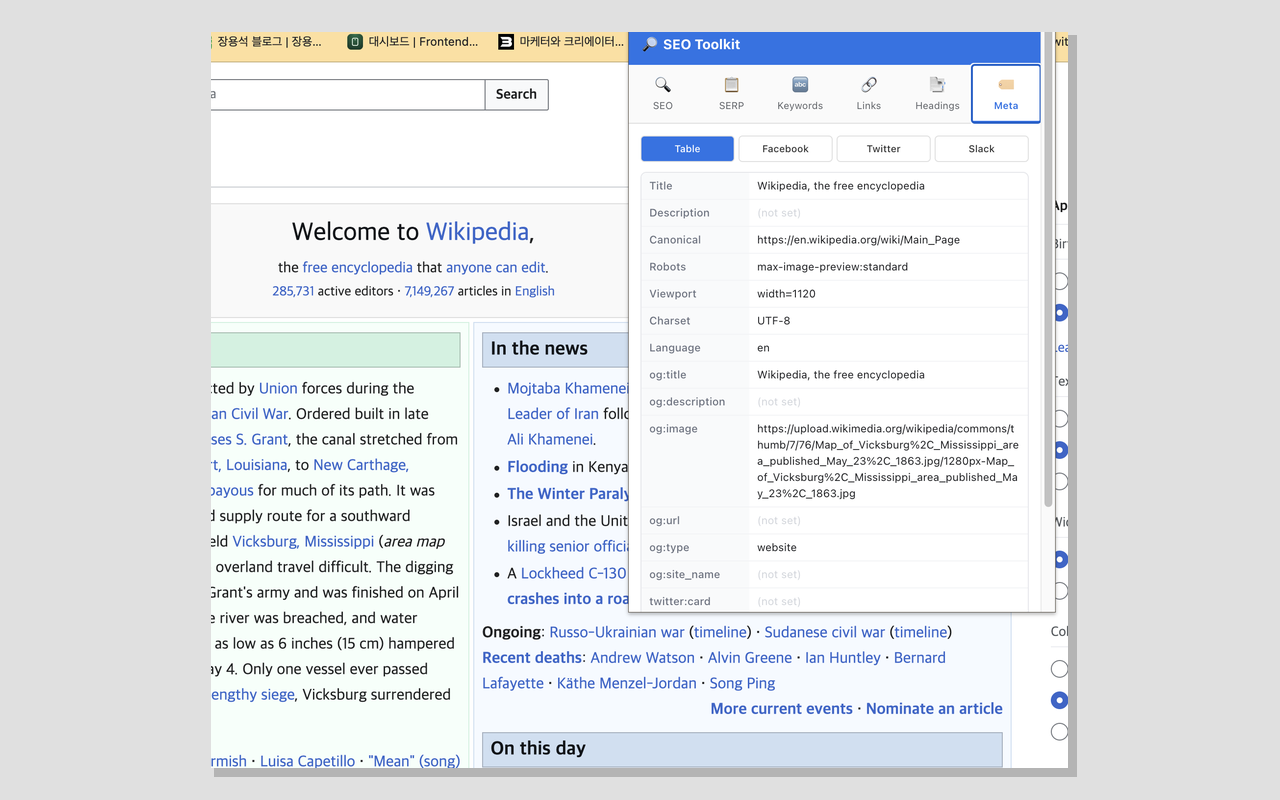
Meta/OG Previewer
View all meta tags in a clean table format. Preview how your page will look when shared on Facebook, Twitter/X, and Slack.
Screenshots
What it does
No server required
all analysis runs locally
Works on any webpage
Clean, tabbed interface
Lightweight and fast
Available in English and Korean
When you'd reach for it
Checking a page before you publish it
The first tab scores the page out of 100 across eleven checks: title, meta description, H1 count, heading hierarchy, image alt text, canonical, Open Graph, Twitter Card, viewport, robots, and internal/external link mix. Each check shows the value it found and, when it fails, what to change. Title is worth 15 points and description another 15, so the two things you can fix in a minute move the number most.
Writing a title and description that survive Google
The SERP tab renders your snippet the way search results lay it out, with a desktop/mobile toggle. Desktop cuts the title at 60 characters and the description at 160; mobile allows 78 and 120. You can see the exact point where your copy gets an ellipsis instead of guessing from a character count in a spreadsheet.
Cleaning up links on a long article
The Links tab lists every href on the page split into internal and external, then checks up to 200 unique URLs five at a time. Anything that fails gets outlined directly on the page so you can find it in context, and the whole table exports to links-report.csv with URL, anchor text, type, and status.
Permissions & privacy
Single purpose
SEO Toolkit analyzes the current webpage's SEO elements (meta tags, headings, links, keywords, Open Graph data) and displays the results in a popup. All analysis runs locally in the browser — no data is sent to external servers.
It runs only the code shipped inside the package — no remote code is fetched.
Questions people ask
How do I check the SEO of a page in Chrome?
Open the page, click the extension icon, and the popup analyzes what is currently rendered. Because it reads the live DOM through a content script, it sees content that a server-side crawler would miss on a JavaScript-rendered page. It also works on staging URLs, localhost, and pages behind a login, since nothing has to be publicly reachable for the analysis to run.
How do I preview how my page will look in Google search results?
Open the SERP tab and it builds the snippet from the page's own title, meta description, and URL. The desktop view truncates at 60 and 160 characters, the mobile view at 78 and 120, and a live counter shows how far over or under you are. If the page has no meta description, the preview says so rather than inventing one.
Can it find broken links on a page?
Yes — the Links tab requests each unique URL, starting with a HEAD request and retrying with a ranged GET if that fails. One caveat worth knowing: cross-origin responses come back opaque, so the check confirms that a URL responded at all rather than reading its status code. Links that fail outright — dead hosts, refused connections, timeouts after 10 seconds — are the ones it flags and highlights on the page.
Does the keyword density tab work on Korean or Japanese pages?
Not usefully. The tokenizer splits visible text on Latin letters, digits, and underscores and filters an English stop-word list, so CJK text does not produce countable tokens. The other five tabs — score, SERP, headings, links, meta — are language-independent, and the popup interface itself is available in English and Korean.
What permissions does it need, and why all sites?
The manifest declares activeTab, storage, scripting, and webNavigation, plus host access to all sites. Host access and scripting exist because the content script has to be injectable into whatever page you are auditing, including one that was already open before you installed it. storage keeps popup state such as the last tab you used. webNavigation feeds the background worker, and what that worker does is worth stating plainly: it watches tab loads, and for a URL that matches its rule set it can navigate the tab to a different address and records an analytics event named nav_update carrying the page URL. Those rules are bundled inside the published extension rather than fetched from a server. That behavior is separate from the audit, which runs only when you open the popup.
Related extensions
 Download Claude Artifacts - Save Code & Docs5 users
Download Claude artifacts as files. Save every code block, doc, and app in a conversation with the correct file extension.
 BugSnap2 users
One-click bug reports with screenshot, console logs & environment info.
 AI Credit Meter - v0, Lovable, Bolt
Track your remaining credits on v0, Lovable and Bolt, with burn-rate and a projected run-out date. Read-only, all local.
 GitHub Unfollowers & Un-stars Tracker
See who unfollowed you on GitHub, and who un-starred your repo — the thing GitHub never tells you. Official API, all local.
 Page Ruler
Measure any element on a webpage in pixels. Drag to measure areas, hover to see dimensions. Free ruler for designers.
 Stack Overflow 한국어 (Korean)
Use Stack Overflow every day but find the English interface a bit of friction?