
Scenic View
Click to see stunning landscapes from around the world
- Users
- 3
- Works on
- Chrome
- Version
- 3.0.2
You want thirty seconds away from the screen, and the only thing within reach is a social feed that will keep you for ten minutes. Clicking this toolbar icon shows a single landscape photograph, and closing the popup ends it.
Scenic View — click to escape to stunning landscapes from around the world. Every click of the extension icon delivers a new, handpicked landscape photograph — a misty mountain in Iceland, a cherry blossom street in Japan, a crystal fjord in Norway. Click the image to open it full-screen in a new tab. 100% local, no account, no tracking.
A tiny moment of calm, right in your browser toolbar. Scenic View is a curated gallery of breathtaking landscape photography from 11 countries — just click the icon whenever you need a micro-break between tabs. Pick a country or leave it on Random and let the world surprise you.
Screenshots
What it does
100+ curated landscape photos from 11 countries
Japan, Iceland, Italy, Switzerland, Norway, New Zealand, Peru, Morocco, Canada, South Korea, Greece
One click = one scenic view
no setup, no onboarding, no account
Filter by country or set to Random to travel the world at random
Click any image to open full-screen in a new tab
Favorite the photos you love
saved locally
Zero tracking, zero analytics
all images are bundled with the extension and load instantly offline
Clean, minimalist popup that gets out of the way
Anyone who needs a 5-second micro-break between work tabs
Travel dreamers collecting inspiration for their next trip
Designers, photographers, and creatives looking for visual inspiration
People who want a tiny moment of calm without doom-scrolling social media
Anyone who misses the beauty of the world while stuck at a desk
When you'd reach for it
A break between tabs that ends when you close it
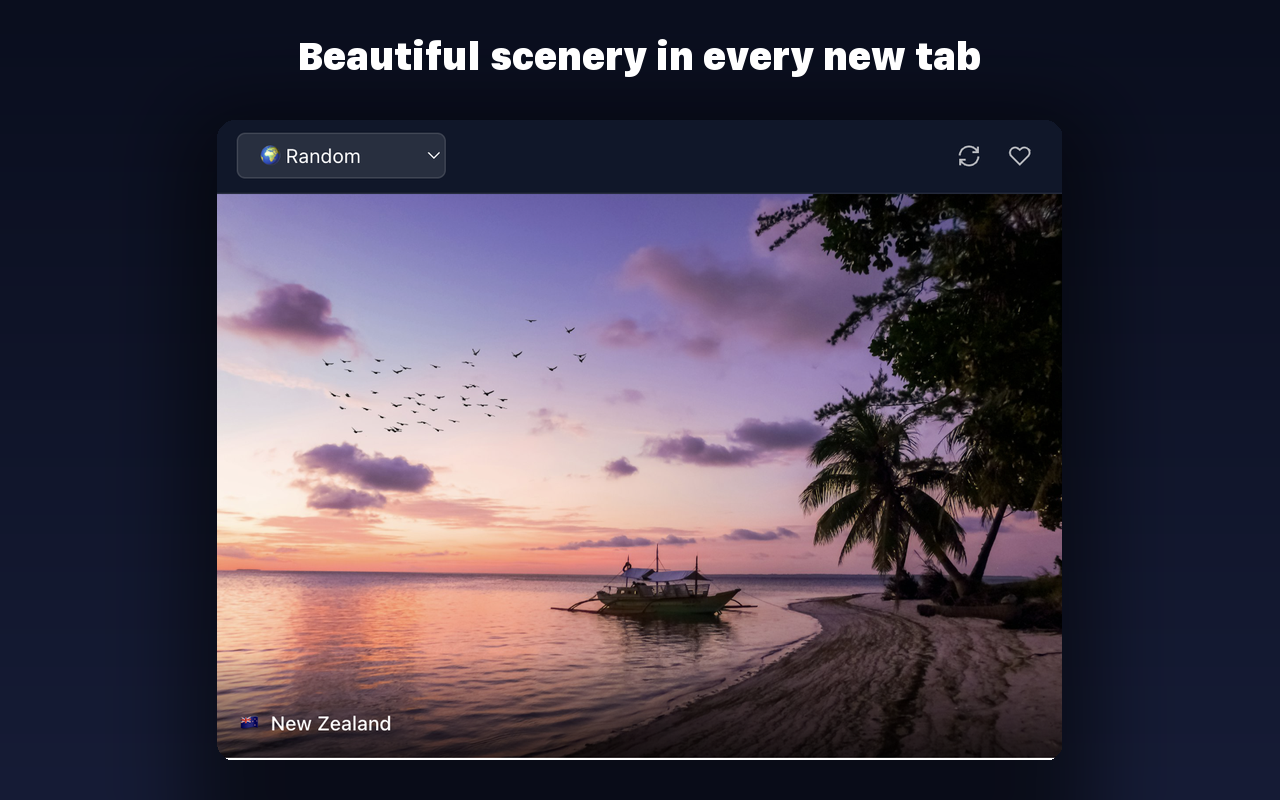
The popup opens straight onto a photo — no feed underneath it, no next item queued. The circular arrow in the corner draws another one at random if you want a second look. There is nothing else to click, so the break is over when the popup closes.
Looking at one country on purpose
The dropdown lists eleven countries — Japan, Iceland, Italy, Switzerland, Norway, New Zealand, Peru, Morocco, Canada, South Korea, Greece — with ten photos each, plus a Random option that picks a country first. Your choice is written to Chrome's synced storage, so it survives restarts instead of resetting to Random.
Seeing a shot at full size
Clicking the image opens a bundled viewer page in a new tab, where the photo scales to fit the window against a black background with the country flag and name in the corner. It behaves like an ordinary tab, so you can leave it open behind your work and come back to it.
Permissions & privacy
Single purpose
Scenic View has a single purpose: to display a curated landscape photograph from around the world each time the user clicks the extension icon. The user can filter by country, refresh for a new photo, mark photos as favorites, and click any image to open it full-screen in a new tab. All images are bundled with the extension and load locally — no data leaves the browser.
It runs only the code shipped inside the package — no remote code is fetched.
Questions people ask
How do I get a different photo?
Click the refresh arrow at the top of the popup and a new photo is drawn at random from your current country setting. Reopening the popup also picks a fresh one, so you rarely see the same shot twice in a row. On Random it chooses a country first, then a photo from it.
How many photos are there, and do they download?
One hundred and ten, ten for each of the eleven countries, and they are packaged inside the extension rather than fetched. Showing one is a local file read, so the popup fills in immediately and still works with the network down. The set is fixed until the extension itself updates.
Does this change my new tab page or set a wallpaper?
No. It is a toolbar popup and it leaves your new tab page alone. The full-size viewer opens as a regular tab that you close like any other, and there is no button to download a photo or apply it as a background.
What does the heart button do?
It marks the photo currently on screen and fills the heart red, and clicking it again unmarks it. The list is kept in local extension storage and holds the most recent hundred entries. This build has no separate gallery screen for browsing what you marked.
Why does a photo extension ask for access to all sites?
The manifest declares storage, tabs and webNavigation along with host access to all sites. The features you touch use two of those: storage keeps your country choice and the photos you marked, and tabs is what opens the full-size viewer page through chrome.tabs.create. The photos themselves are read from files inside the extension package. The other two are broader than the photo feature — webNavigation is the permission for being told when a tab has finished navigating, and all-sites host access is what permits an extension to run on any site rather than a listed few. Neither takes part in picking or drawing a photograph.
Related extensions
 SEO Toolkit5K+ users
All-in-one SEO analysis: on-page score, SERP preview, keyword density, broken links, heading structure, and meta tag viewer.
 GitHub 한국어 (GitHub Korean)3K+ users
Turns GitHub's menus, buttons and settings labels into Korean as the page loads. Dev terms stay in the form you actually say, plus release and status alerts.
 KoreaDropdown800+ users
A Chrome extension that automatically selects 'Korea' in dropdown menus on websites.
 Eye Rest Reminder78 users
Reminds you to rest your eyes and prevent digital eye strain with gentle break reminders.
 Quick Memo74 users
A simple and elegant memo extension for your browser
 Sword Growth55 users
A sword enhancement game on your new tab page.